The report your client will read.
Type this month's numbers. Get a branded PDF that says what went up, what went down and why, in plain English.
Free account, nothing to pay. Skool members log in with their Skool email. Skool member login
 AgencyAnalytics
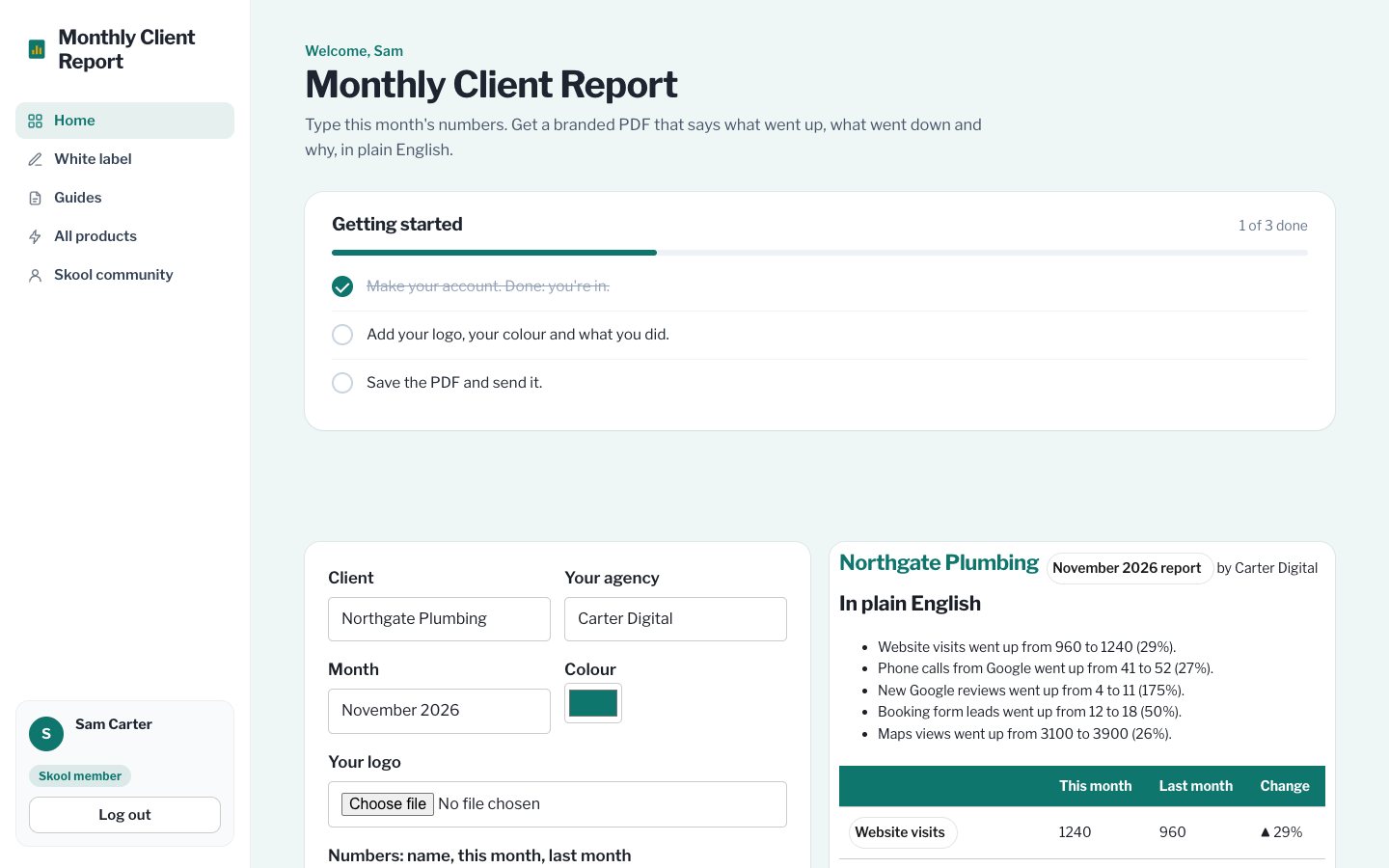
A real screen of Monthly Client Report. Northgate Plumbing and Carter Digital are sample names with sample data.
Works with
- PDF (Save as PDF)
- Any numbers you track
- Google Analytics numbers
- Google profile numbers
- Your logo and colour
How it works
Up and running in three steps
1Log in and type this month's and last month's numbers.
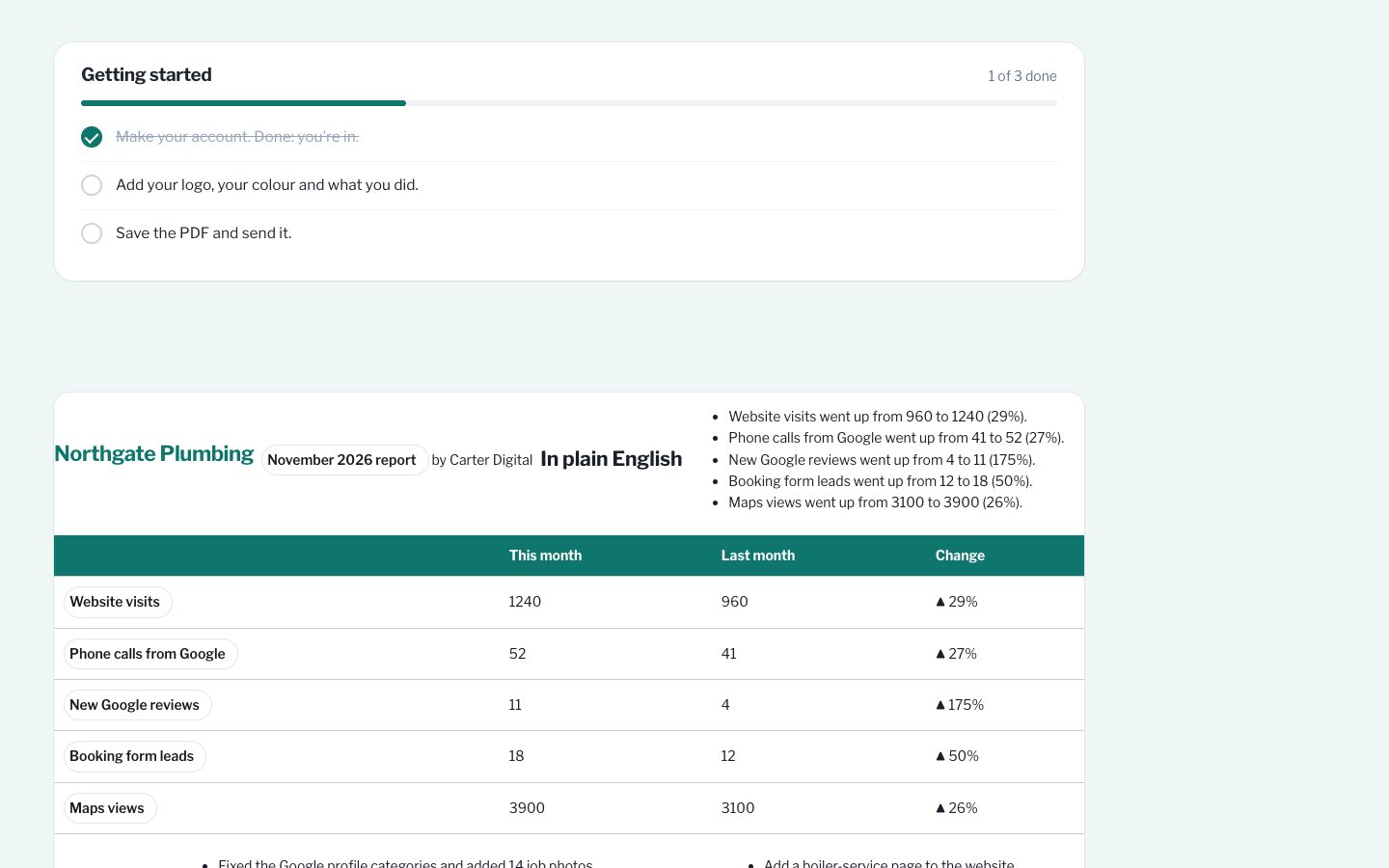 2
Add your logo, your colour and what you did.
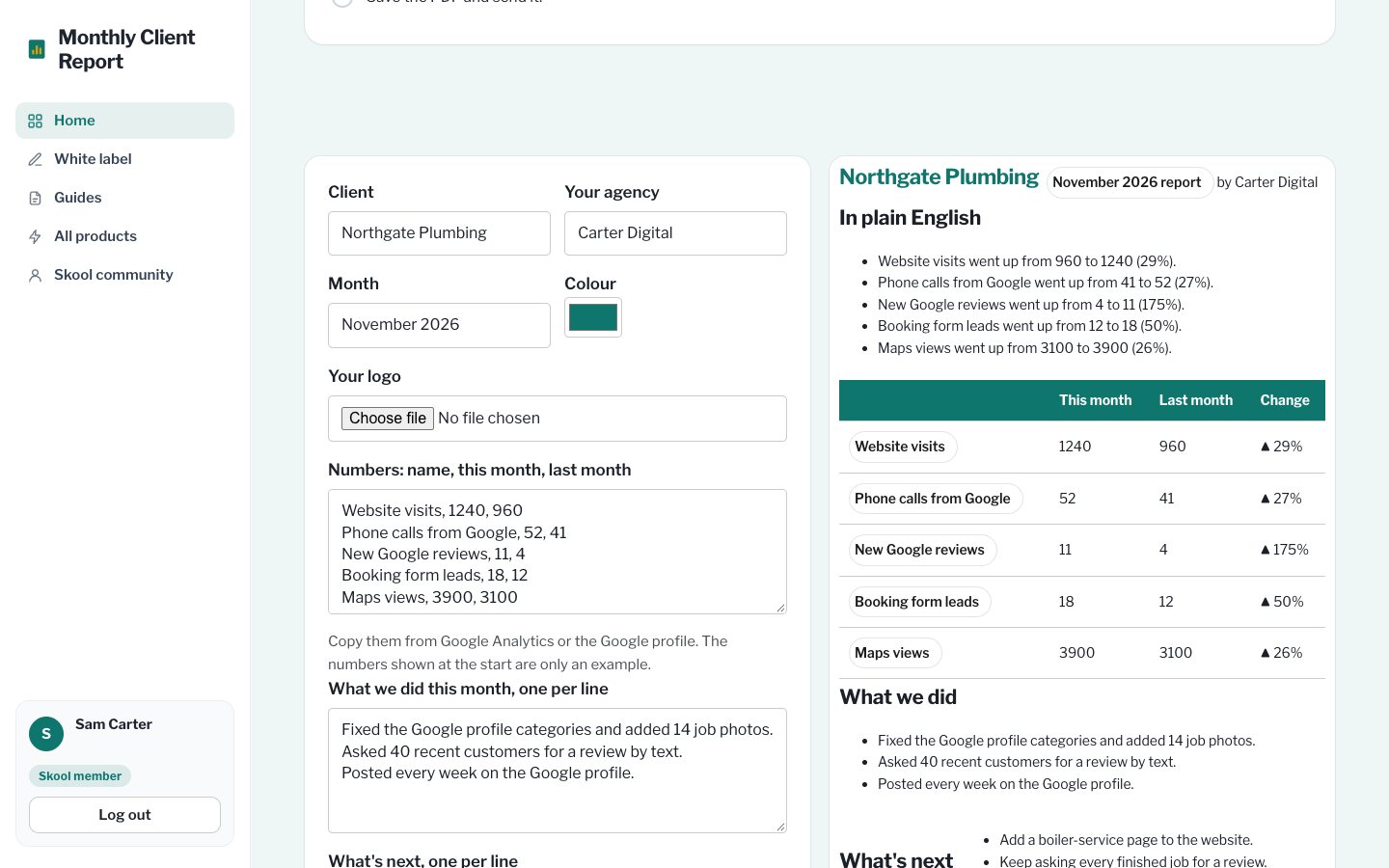 3
Save the PDF and send it.
A closer look
Everything in one place
Numbers in, plain English out
Type each number as name, this month, last month. Monthly Client Report writes the sentence and the change for each one.
- Went up from 960 to 1240 (29%)
- Table with ▲ and ▼
- What we did and what's next
A report your client will read
Press Save as PDF and you get a clean page with your client's name, your agency and the month.
- Your colour on the table
- Your logo at the top
- One page, no logins for the client
Say what you did and what's next
One line each. This is the part clients actually read.
- What we did this month
- What's next
- Saved for next month
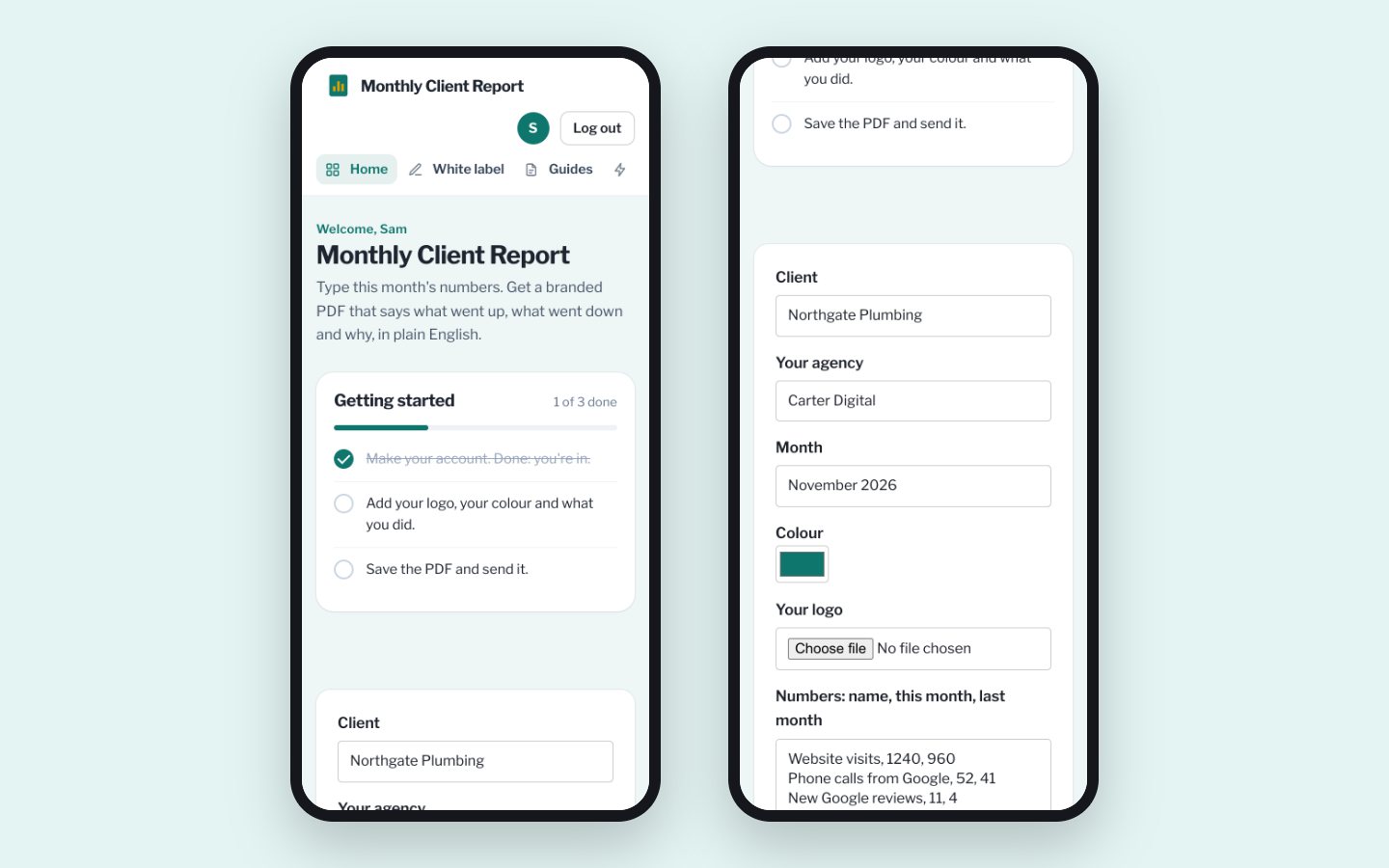
Check it anywhere
The form and the preview work on a phone.
- Same report on every device
- Edit a number in a minute
- Nothing to install
Real screens of Monthly Client Report. Northgate Plumbing and Carter Digital are sample names with sample data.
Included
Everything you get
Plain English
Every number becomes a sentence.
Change in %
Up or down from last month.
Your logo
Upload it once.
Your colour
The table takes your brand colour.
What we did
Your work, one line each.
What's next
Next month's plan.
Save as PDF from the print window.
Any numbers
Visits, calls, reviews, leads, sales: whatever you track.
One account
One of 29 products. All free to start.
One account opens Monthly Client Report and every other product. These 15 you can even sell under your own name.
Who it's for
Made for people who sell to small businesses
Agencies
One report per client every month, in ten minutes.
Freelancers
Show the work so the client keeps paying.
Local SEO
Put the Maps Rank Plan ranks in it.
Consultants
A clean monthly summary for any client.
Pricing
Free to use. No catch.
What it normally costs. Price from their own page, November 2026.
AgencyAnalyticsMake an account with your email and use it. No card. Want help selling it? Skool members ($29/month) get the community, lessons and Yar's help.
Start freeJoin the Skool groupTrust
Our own software. Your data stays yours.
Monthly Client Report is our own software. You type the numbers, so it works with any tool your client uses, and nothing connects to their accounts.
How we look after your data- Your own account, nobody else's
- Encrypted connection on every page
- No ads, no selling data
- Saved to your account, on any device
A note from Yar
I run Build AI Business with Claude on Skool. We built Monthly Client Report ourselves for members who sell simple services to local businesses: it does one job, does it well, and is part of the one membership price.
If something's broken or missing, message me on Skool and I'll look at it.
Questions
Good to know
Something else? Message Yar on Skool.
Who can log in?
Anyone. Make a free account with your email and a password. In our paid Claude or AI video group on Skool? Pick “Skool member” and use your Skool email.
Is one login enough?
Yes. The same email and password work on every one of our products.
Where does it run?
In your browser. Log in and it's ready, nothing to install. What you type is saved to your account on our members server, so it's there on any device.
Does it pull numbers by itself?
No. You type them from Google Analytics, the Google profile or wherever you track them. That's why it works with any tool.
How do I get the PDF?
Press Save as PDF and pick Save as PDF in the print window.
Can I make one per client?
It keeps one report at a time. Change the client name and numbers for the next one after you've saved the PDF.
Can I sell this to clients?
Yes. Use it for your own business or do the work for clients and charge them.
The report your client will read.
Type this month's numbers. Get a branded PDF that says what went up, what went down and why, in plain English.